Tango
An iOS app for building and tracking daily habit routines.
Privacy-first clipboard manager for macOS.
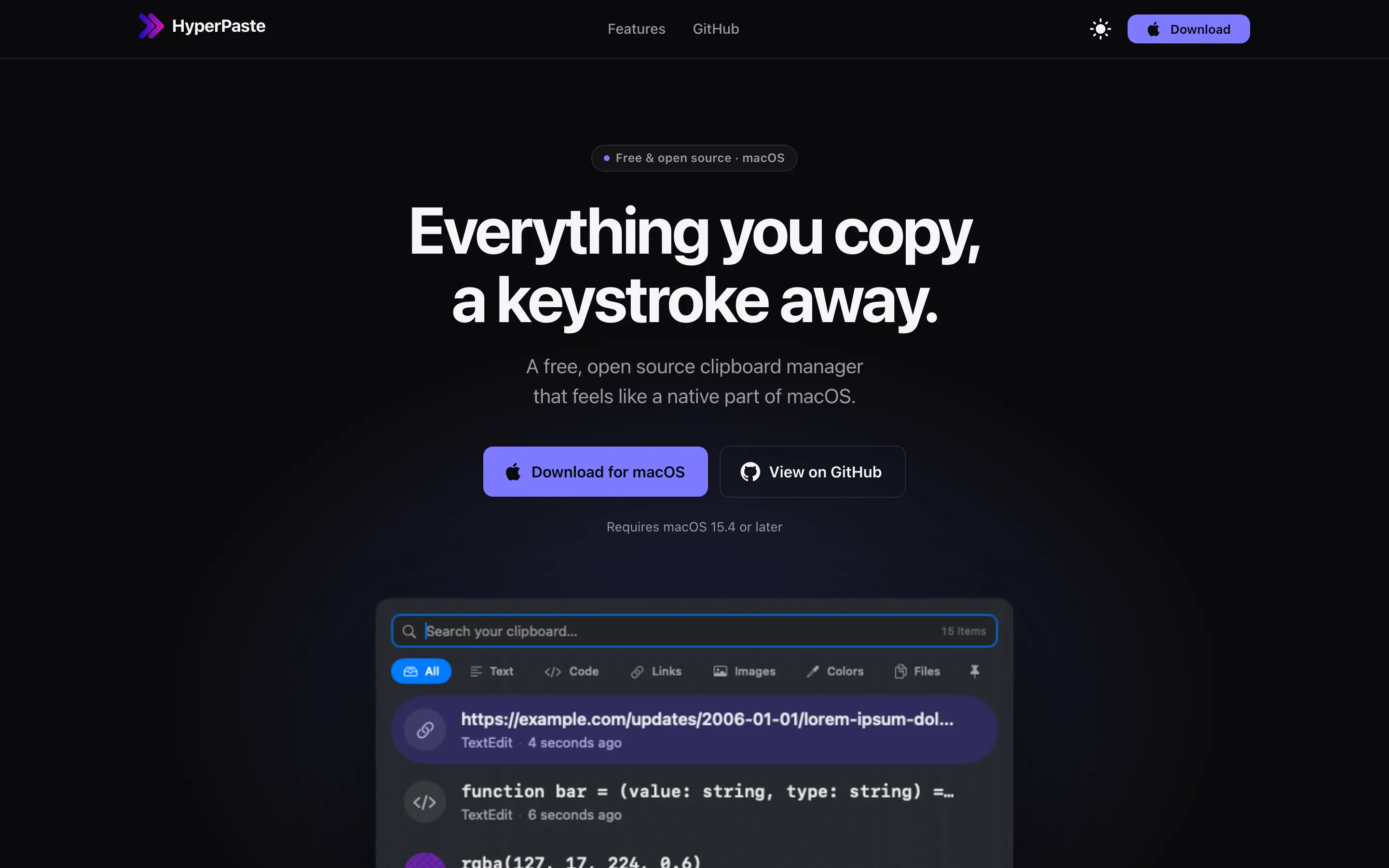
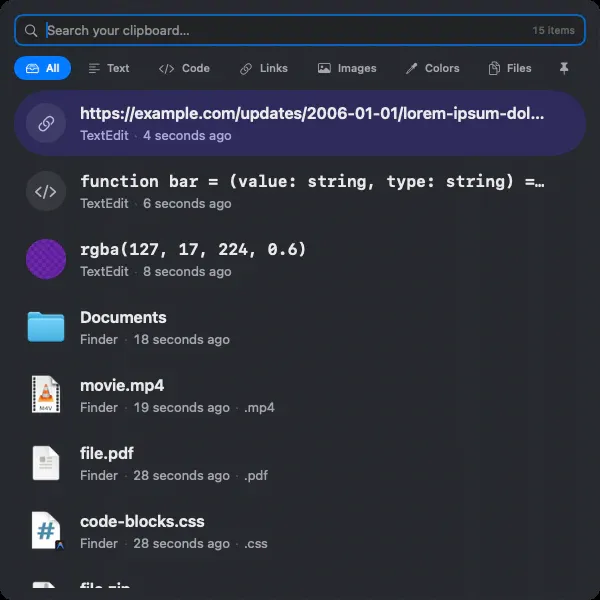
HyperPaste is a native clipboard manager built specifically for macOS.
The project began with a simple observation: although clipboard history has existed for years, most clipboard managers either prioritize feature lists over usability or feel disconnected from the platform they’re built for.
We wanted something different.
HyperPaste is designed to feel like a utility that could have shipped with macOS itself—fast, unobtrusive, privacy-conscious, and built around the workflows people use dozens of times every day.
Rather than trying to become another productivity suite, HyperPaste stays focused on one job: making it effortless to find and reuse what you’ve already copied.
Every design decision in HyperPaste is evaluated against a few core principles:
The goal isn’t to add more features than competing clipboard managers—it’s to reduce friction and make clipboard history disappear into the background until you need it.
HyperPaste includes features designed around everyday workflows, including:
Every feature is intended to improve retrieval speed rather than increase complexity.
Building HyperPaste required solving a number of problems that aren’t immediately obvious to users.
Clipboard history sounds simple until you begin handling the wide variety of data users copy every day. Text, images, files, colors, rich text, URLs, and application-specific pasteboard types all require different handling while maintaining a consistent user experience.
Another major challenge has been balancing functionality with privacy. HyperPaste intentionally avoids storing many forms of sensitive clipboard data, respects applications that mark copied content as private, and gives users control over what gets remembered.
Designing these systems reinforced the importance of treating privacy as a core product feature rather than an afterthought.
Building HyperPaste has deepened our experience with:
Perhaps the biggest lesson has been that good utility software isn’t defined by the number of features it includes. It’s defined by how little users have to think about it.
The best clipboard manager is one that quietly disappears into the operating system, helping people work faster without ever getting in the way.
How we can help
Swift and SwiftUI apps that behave like they belong on the device, shipped through the App Store.
Discovery, flows, prototypes, and interface design: working out how a product should work before anyone builds it.
An iOS app for building and tracking daily habit routines.
A calm workout routine tracker focused on consistency over perfection.
An iOS app for logging nutrients into Apple Health and tracking calorie deficit.
Contact
Tell us what you’re building, or what needs fixing. We’ll get back to you as soon as possible.