ServicesWeb apps

Web apps, built from the interface to the infrastructure.

Software people sign in to, trust with their data, and come back to. We design it, build every layer of it, ship it, and keep improving it once real people start using it.

What we do

The interface is the part you see. We build the rest, too.

A web app is a stack of decisions, and the bugs usually live where two layers meet. With one team owning every layer, those seams get designed instead of discovered.

  1. Interface

    Screens people use every day

    Navigation, forms, tables, editors, empty states, and error messages that say what to do next. Designed for the hundredth visit as much as the first.

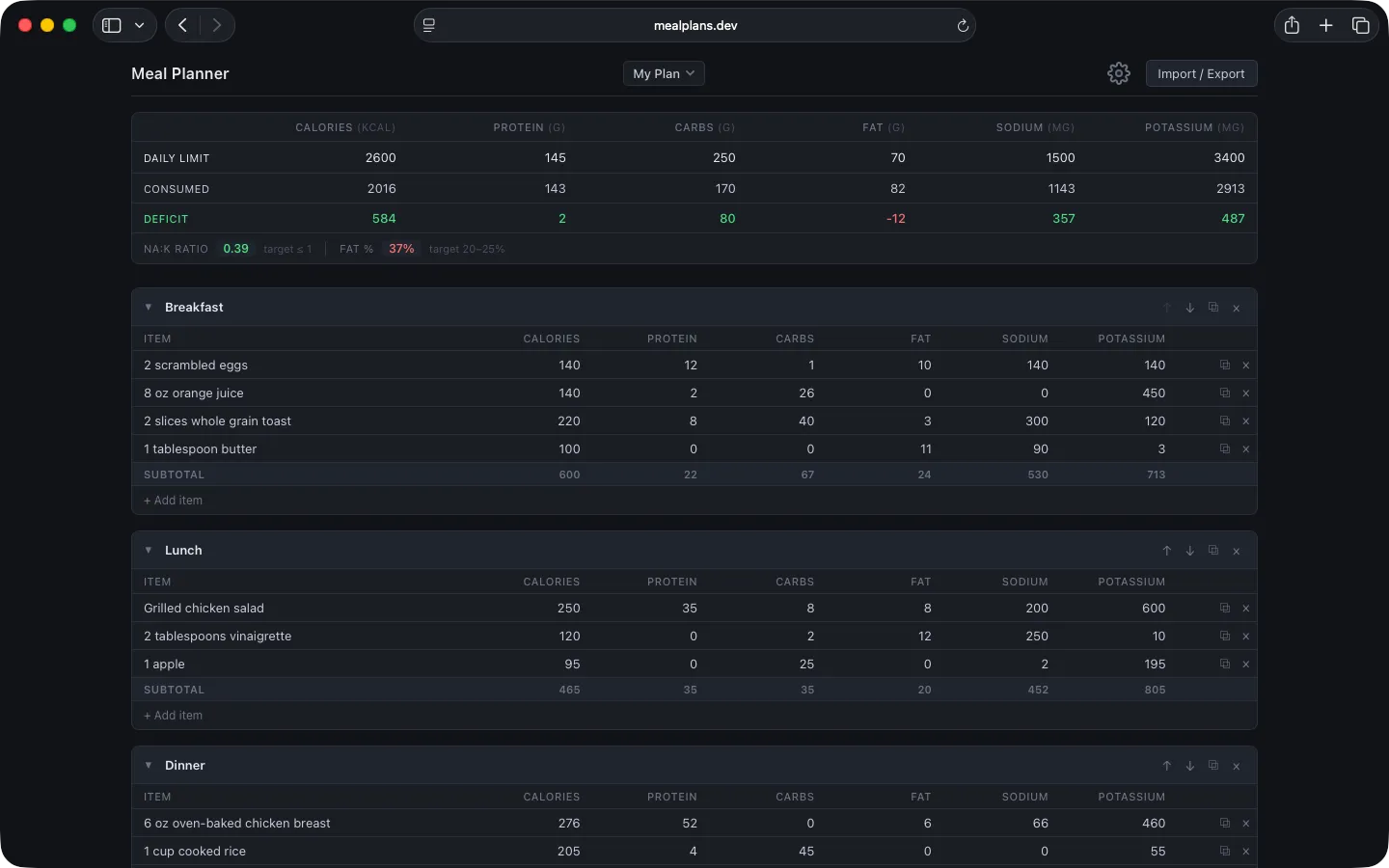
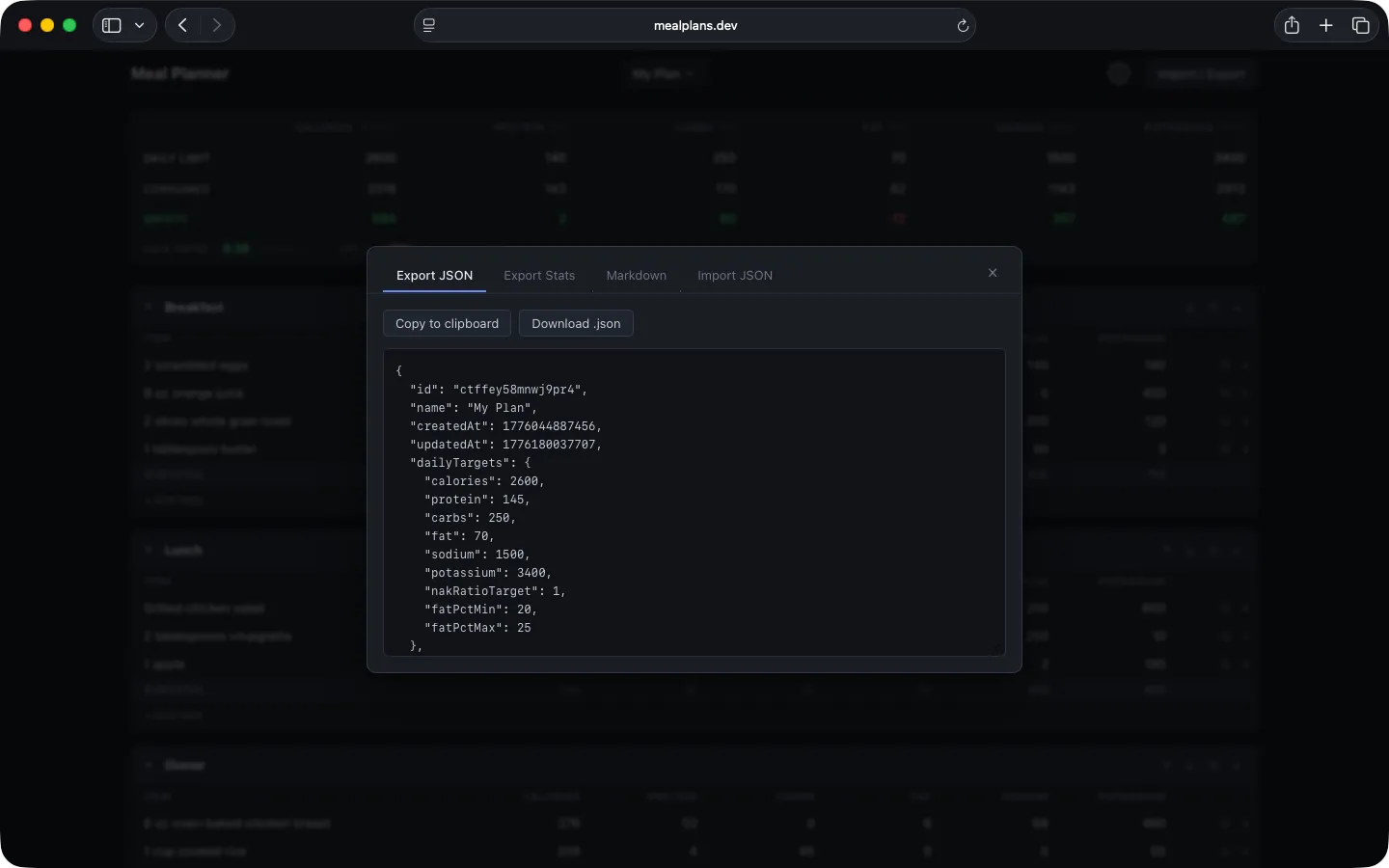
    In MealPlans.devCalories, macros, sodium, and potassium for every food, subtotals for every meal, and totals against your daily targets, all on one screen.

  2. Application

    The rules of your business

    State, logic, and what happens when two things change at once, a session expires, or someone hits back. Front-end architecture that stays understandable as the product grows.

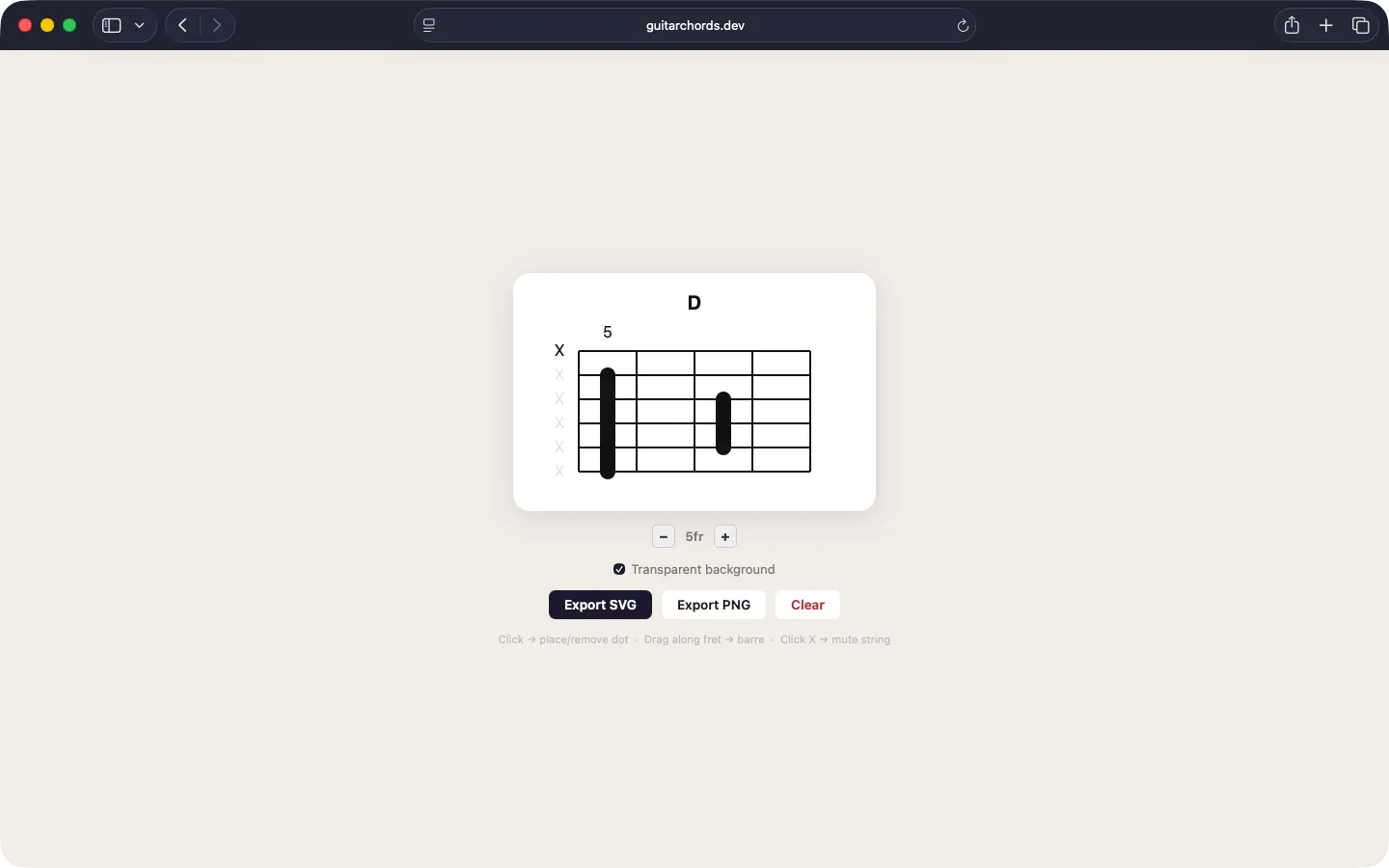
    In Guitar ChordsClick to place a finger, drag along a fret for a barre, click an X to mute a string, then export the diagram.

  3. API

    Accounts, and the API in between

    Sign-in, permissions, and endpoints shaped around what the interface actually needs, so the front end isn’t fighting the back end.

    In Burn AfterAuthenticated requests through API Gateway for the people sending files, and no account at all for the people receiving them.

  4. Data

    Where everything lives, and for how long

    Data models, storage, retention, and deletion, including whether you should be storing something at all.

    In Burn AfterFiles reach storage only as ciphertext. The key travels after the # in the link, so our servers never see it.

  5. Infrastructure

    Hosting, deploys, and the jobs that run at 3 a.m.

    Infrastructure defined in code, so it can be reviewed, repeated, and rebuilt instead of remembered. Deploys that don’t need a ceremony.

    In Burn AfterServerless on AWS, every resource defined with the CDK, and a cleanup job that runs every minute.

Good fit

When a web app is the answer.

  • A workflow that’s outgrown spreadsheets

    The process works, but it lives in a spreadsheet, an inbox, and someone’s memory. Software can hold the rules so people don’t have to.

  • A product people sign in to

    Accounts, saved work, history, and settings, for a product that needs to reach anyone with a browser.

  • Data that has to stay private

    Files, health information, or anything else where privacy is part of the promise, and the architecture has to back it up.

  • Tools for your own team

    Dashboards and admin screens nobody outside the company sees. Plainer than a customer product, and just as worth getting right.

  • A web app that already exists

    If someone else built it and it needs to move forward, start with taking over existing software.

Our product

Burn After, from the browser to the cleanup job.

Burn After is our web app for sharing sensitive files through links that work exactly once. We designed it, built it, launched it, and we still run it. Here’s what sits underneath a single upload.

  1. Your browserEncrypts with AES-GCM
  2. CloudFrontServes the app
  3. API GatewayAuthenticated requests
  4. LambdaEight functions
  5. S3 and DynamoDBCiphertext and records
  6. EventBridgeCleanup every minute

burnafter.to/f/9f2k4q#k=k7Hb…2pQEverything after the # stays in your browser. It’s never sent to a server, ours included.

Designing the states, not just the screens.

Most of Burn After’s interface is states: encrypting, copied, opened, gone. Each one has to tell people exactly what just happened, because a burned link can’t be brought back.

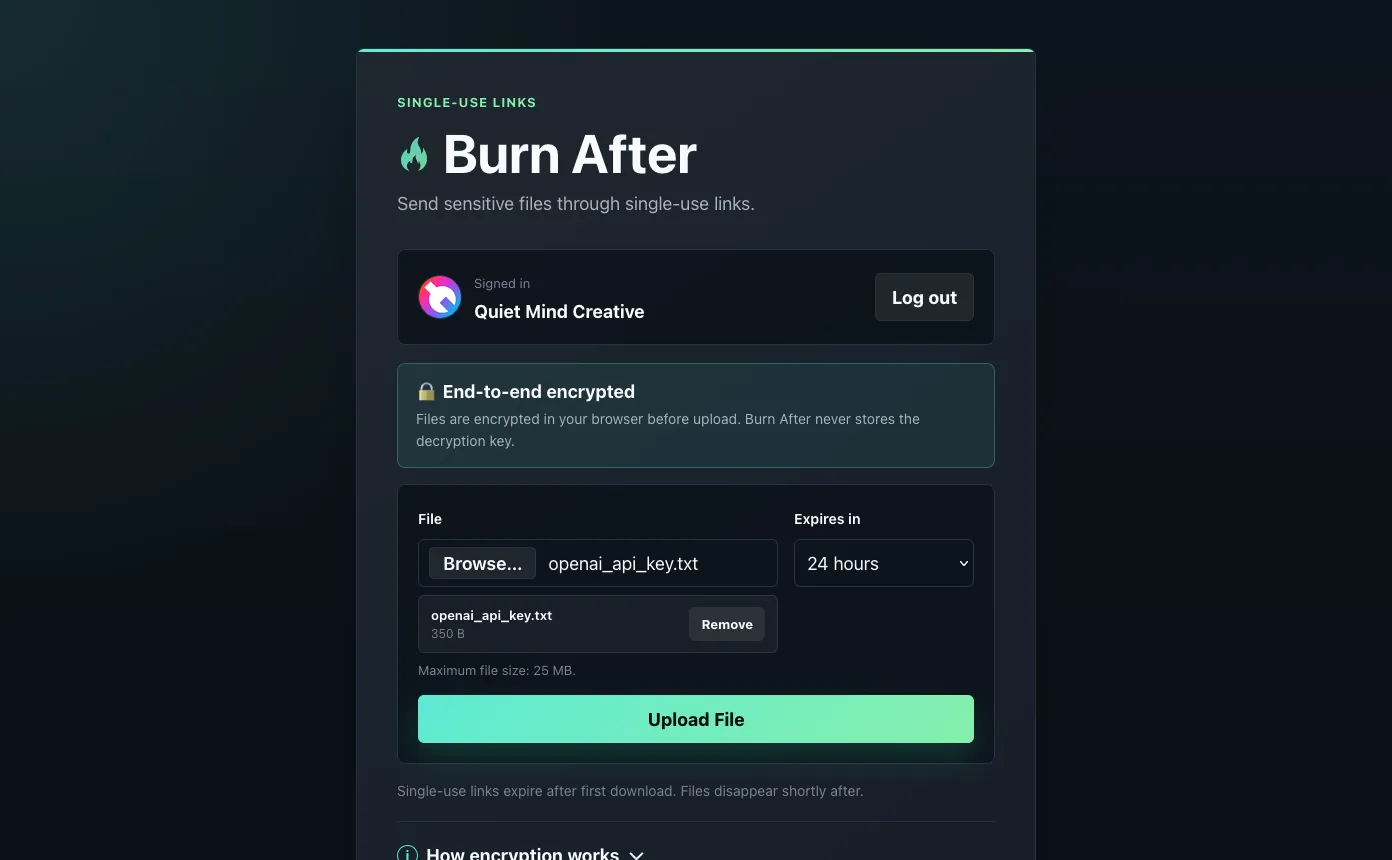
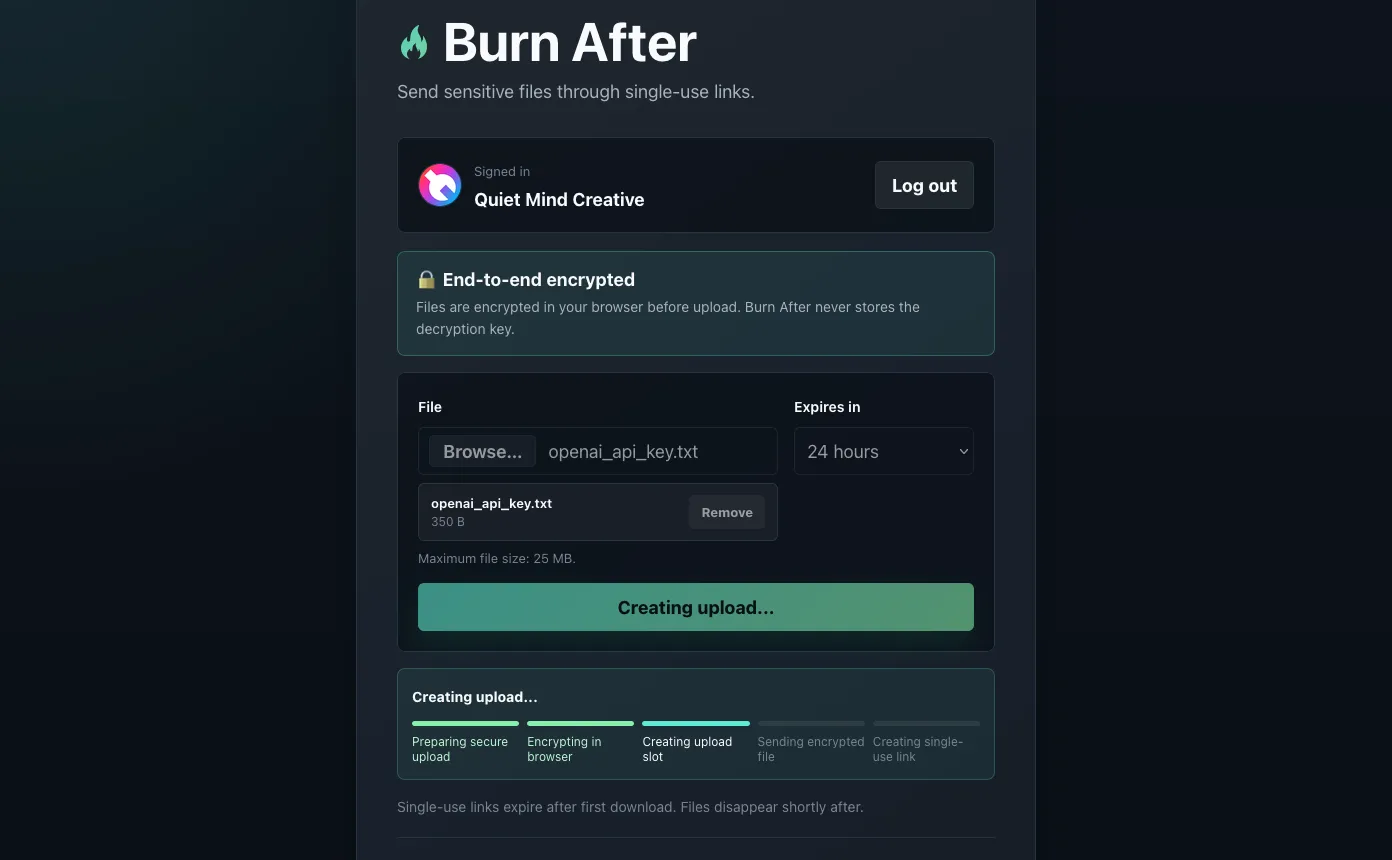
  1. Upload form with a file selected and a 24-hour expiration
    Pick a file and how long the link lasts.
  2. Creating a secure upload with in-browser encryption progress
    Encrypted in the browser, before anything is uploaded.
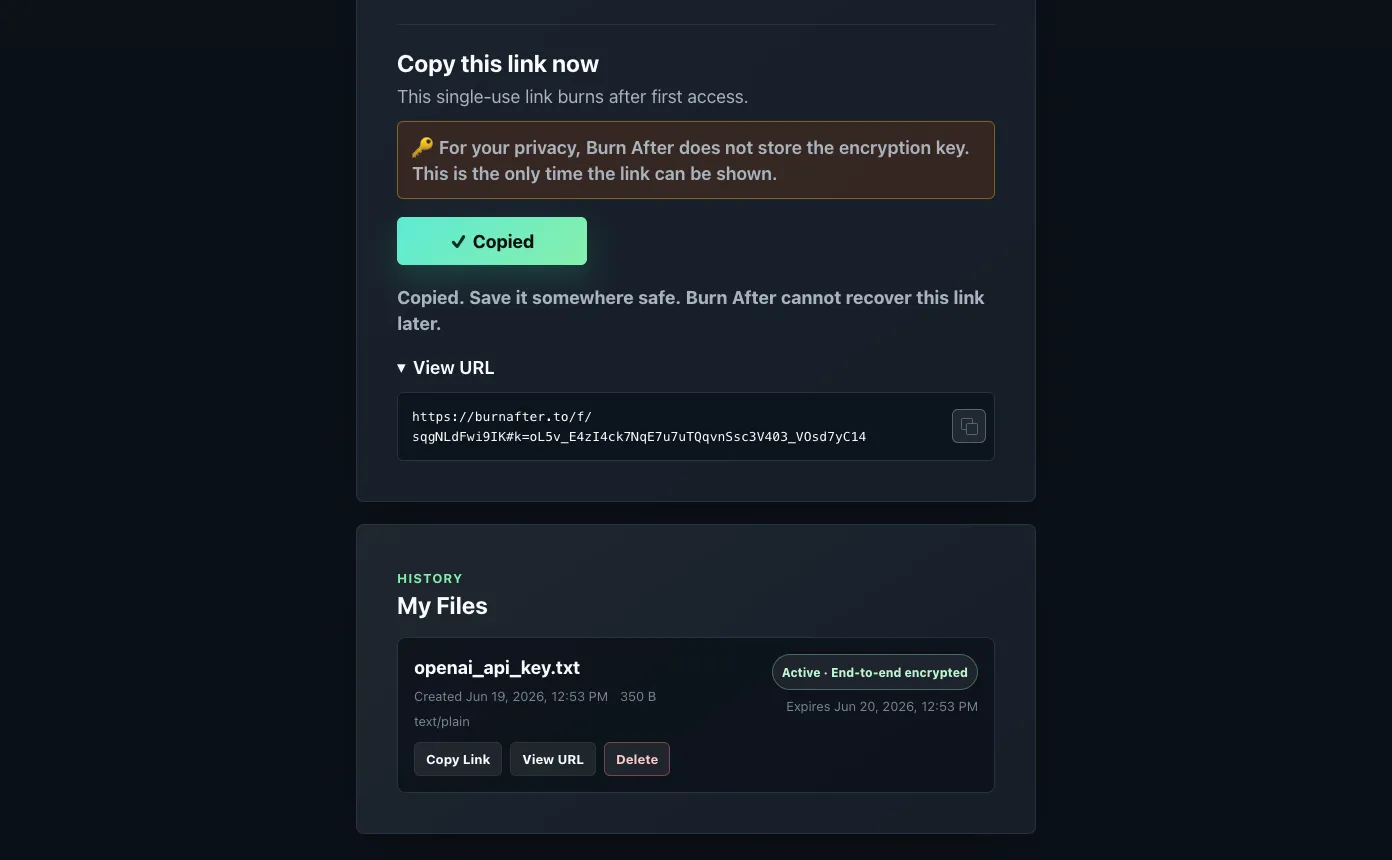
  3. Single-use link copied to the clipboard, shown only once
    The link, shown exactly once.
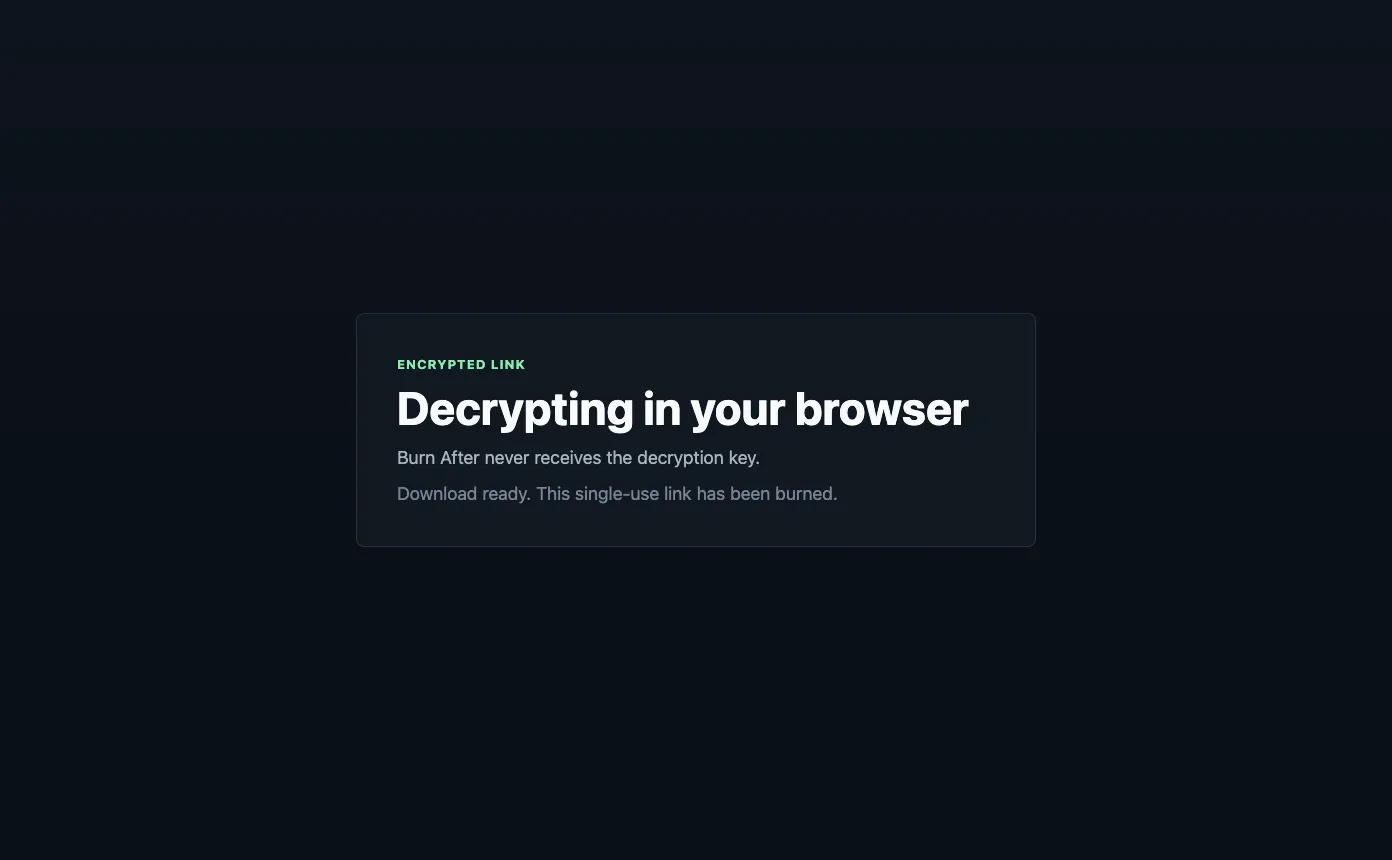
  4. File decrypted in the browser as the single-use link is burned
    Opened, decrypted, and burned.
  • Launched on Product Hunt and finished in the top 10 products of the day.
  • The feedback was about trust, so we moved encryption into the browser.
  • Recipients never need an account. Just the link.

More of our web apps

Two more, built for very different jobs.

Not everything we build is public. The dashboard we check every morning pulls the traffic from all of our websites into one place, and it’s as much a web app as anything on this page.

How we work

A small first release, then keep going.

  1. Shape the first version

    We agree on what the first release does, and what it doesn’t. A smaller app that works beats a bigger one that almost does.

  2. Design the hard parts early

    Empty states, errors, permissions, and the awkward workflow everyone hopes to skip, designed alongside the happy path.

  3. Working software, early

    Deployed somewhere you can click through it, so you’re reacting to the real thing all the way through.

  4. Infrastructure in code

    Where it fits, hosting, databases, and permissions are defined in code and reviewed like code, so standing up a new environment takes one command.

  5. Launch, then listen

    Real users find what testing doesn’t. Burn After’s move to encryption in the browser came straight from launch feedback.

  6. Keep it going

    Ongoing development, dependency updates, and fixes, or a documented handoff to your own team.

From the blog

Further reading

  • · 6 min read

    Good Design Reduces Cognitive Load

    Good design does more than look good. It reduces the amount of mental effort required to understand what is happening, decide what to do next, and get something done.

  • · 5 min read

    Browser Support Is a Product Decision

    Browser support is not a default engineering checklist. It is a product decision shaped by your audience, requirements, and the cost of compatibility.

Before you ask

Questions

Do we need a website or a web app?

If people mostly read, compare, and get in touch, that’s a website. If they sign in, save things, and come back to get work done, that’s a web app. Plenty of products need both: burnafter.to is a website at the front door and an app behind it. Here’s how we approach websites.

Do you build the back end, or just the front end?

Both. For Burn After that meant the encryption in the browser, an API on API Gateway and Lambda, storage in S3 and DynamoDB, a scheduled cleanup job, and the AWS infrastructure underneath, all defined in code.

Should this be a web app or a native app?

A web app reaches anyone with a browser and updates the moment you deploy. A native app can go further on one platform: system integrations, offline use, and the feel of the device. Sometimes the answer is both. More on native iPhone and Mac apps.

How do you approach security?

It starts with collecting less. Data you never store can’t leak, which is why Burn After keeps the decryption key out of our hands entirely. After that it’s the unglamorous work: authentication, permissions, current dependencies, and infrastructure defined in code so it can be reviewed.

We already have a web app. Can you take it over?

Yes. Start with taking over existing software. The short version: we read it before we change it.

Contact

Have a workflow that should be software?

Tell us what people need to get done and where it breaks down today. We’ll get back to you as soon as possible.