Product Engineering
Browser Support Is a Product Decision
Browser support is not a default engineering checklist. It is a product decision shaped by your audience, requirements, and the cost of compatibility.
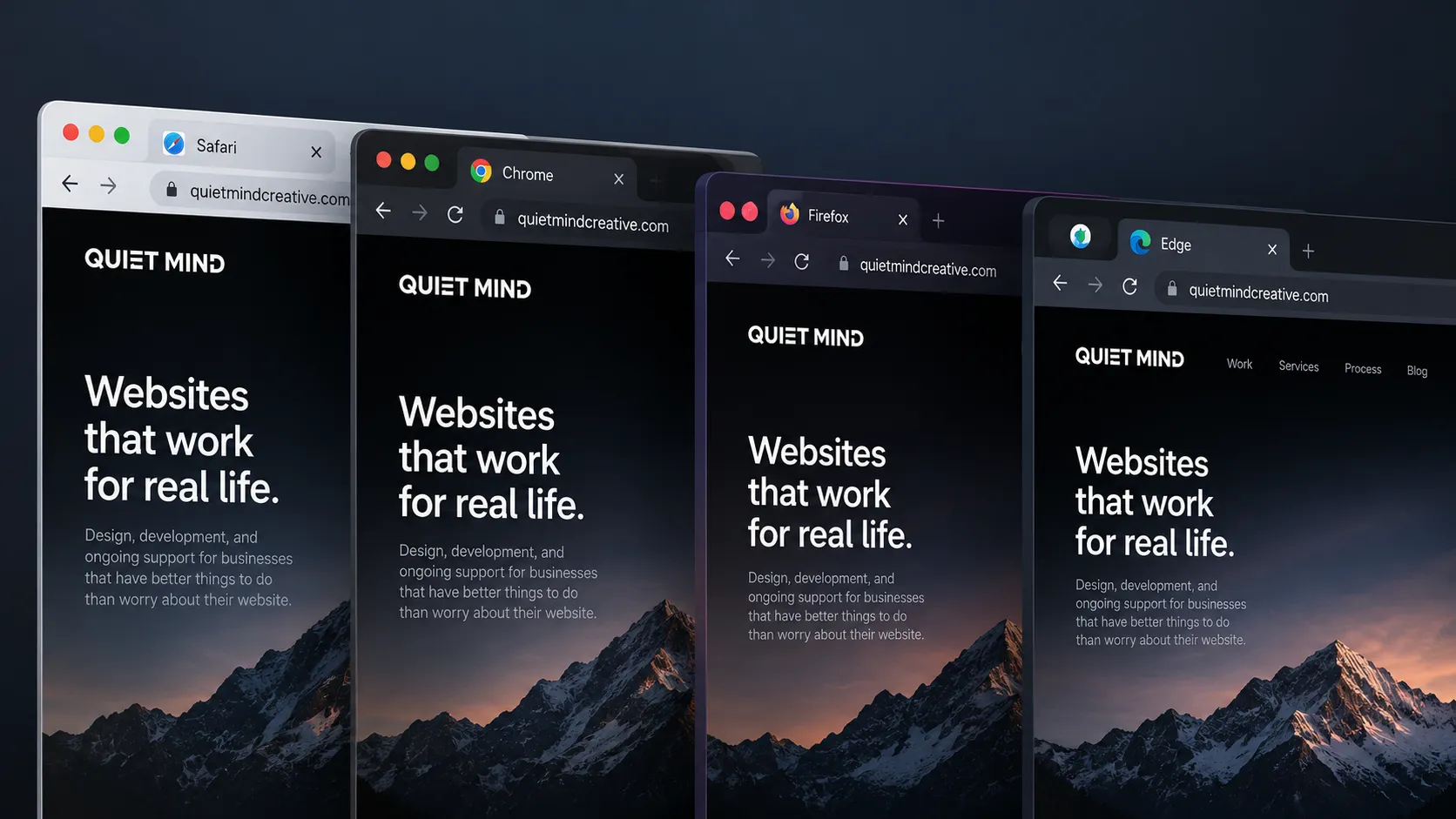
Most developers have a browser they live in.
But that doesn’t mean it’s’ the browser their customers live in.
We test websites in browsers we do not personally use because browser choice is not really about developer preference. It is about the people using the product.
But that does not mean every project needs to support every browser, either.
Browser support has a cost. The more browsers, operating systems, versions, and device combinations a project promises to support, the more time goes into development, testing, workarounds, and ongoing maintenance.
That cost can absolutely be worth paying. But it shouldn’t be paid by default.
Browser support is a product decision.
“Support every browser” is not actually a requirement
It sounds reasonable enough.
A new website is being planned and somebody says, “It should work in every browser.”
Sure. Ideally.
But what does work mean?
Does every animation need to look exactly the same? Does every visual effect need to be available? Does every feature need to function? How old a version of Safari are we talking about? What about a browser with JavaScript disabled? What about an embedded browser inside another app?
At some point, “every browser” becomes an endless collection of edge cases.
A useful browser support requirement needs boundaries.
Those boundaries should come from the product itself: who uses it, what they need to accomplish, how important access is, what technology the experience depends on, and how much additional complexity is justified.
Those are not only engineering questions.
They are product questions.
Different products should make different decisions
There is no universal browser support matrix that makes sense for every website.
A government service may need to accommodate a very wide range of devices and browsers because preventing someone from accessing the service can have serious consequences.
An internal company tool might only need to support the browser installed on managed company laptops.
A consumer ecommerce site may decide that Safari support is essential because a meaningful portion of its customers arrive from iPhones.
An experimental marketing site may be willing to use newer browser capabilities and provide a simpler experience where those capabilities are unavailable.
All of those can be reasonable decisions.
The mistake is treating browser support as an automatic technical checklist instead of asking what the product actually needs.
There are different levels of support
“Supported” does not have to be binary.
We tend to think about browser support in a few different ways.
Fully supported
These are browsers we actively test and treat regressions in as bugs.
The expectation is that the complete experience works as designed.
Expected to work
We may not test every release or every device combination, but the site is built using broadly supported web standards and we expect the core experience to function correctly.
If a problem appears, we investigate it rather than dismissing it because that browser was not explicitly listed.
Graceful degradation
Some enhancements may not be available, but the important parts of the product still work.
Maybe a particular animation disappears. Maybe an advanced visual treatment becomes simpler. Maybe a progressive enhancement is not available.
The user can still do what they came to do.
Unsupported
Sometimes a product depends on browser capabilities that simply are not available everywhere.
If supporting an older or unusual browser would require significant additional work, restrict the product technically, or introduce disproportionate maintenance cost, choosing not to support it can be entirely reasonable.
The important part is that the choice is deliberate.
“Unsupported” should mean we made a product decision. It should not mean nobody bothered to check.
Your own browser habits do not matter much
Developers are especially vulnerable to this one.
We spend all day inside a browser. We have strong opinions about them. We install extensions, change privacy settings, run developer builds, and occasionally turn our browser configuration into something no normal human being would ever encounter.
None of that tells us what our customers use.
If everyone on the development team uses Chrome but a large part of the audience uses Safari, Safari matters.
If the team primarily uses Macs but the product is used heavily in corporate Windows environments, Windows matters.
This is why cross-browser testing cannot simply mean opening the site in the browser sitting in front of the person who built it.
We test the environments that matter to the product.
Supporting more browsers can change what you build
Browser support is not only a QA concern at the end of a project.
It can affect the design and implementation from the beginning.
A feature that works beautifully using a newer browser capability may require a substantial fallback elsewhere. A complex interaction may need additional input handling. A visual treatment may behave differently across rendering engines. Supporting older browser versions may require additional code, dependencies, or compromises.
Sometimes that work is trivial.
Sometimes it is not.
That is why browser requirements are useful to establish early. They can influence architecture, design decisions, estimates, and testing plans.
Discovering late in the project that an important customer environment was never considered is much more expensive than discussing it at the outset.
Analytics can help, but they are not the whole answer
For an existing product, usage data can be extremely useful.
If a browser represents a meaningful portion of real traffic, that is a strong reason to test it.
If an older browser has fallen to effectively zero usage, continuing to carry expensive compatibility work indefinitely may no longer make sense.
But analytics need context.
A browser showing zero traffic might mean nobody uses it.
It might also mean the website is already broken badly enough in that browser that those users cannot reach the point where analytics loads.
And a small percentage can still represent a large number of people on a high-traffic product.
Numbers inform the decision. They do not make the decision by themselves.
Revisit the decision occasionally
Browser support should not be frozen forever.
Browsers evolve. Users upgrade devices. Operating systems change. New platform capabilities become widely available. Old workarounds stop being useful.
The audience can change too.
A product that started as a small internal tool might become customer-facing. A regional company might expand into markets with different device usage. A redesign might introduce features that change the compatibility picture entirely.
So the original browser support decision should be revisited from time to time.
Not every week.
Just often enough that yesterday’s assumptions do not quietly become tomorrow’s technical debt.
Good browser support is deliberate
The goal is not to support the largest possible number of browsers.
The goal is to support the right browsers well.
That means understanding the audience, defining what support actually means, testing the environments that matter, allowing graceful degradation where appropriate, and being willing to say no when the cost of additional compatibility is not justified.
The web is wonderfully resilient. A well-built site using solid standards will often work in far more environments than the ones formally listed in a support matrix.
That is a good thing.
But hoping something works is not the same as deciding what needs to work.
Good browser support is not about checking every box.
It is about deciding which boxes matter, testing them properly, and revisiting that decision as the product and its audience change.
How we can help
Website design and development
Marketing, product, and content sites, designed and built down to the details, then launched and looked after.
Ongoing support and maintenance
Updates, fixes, platform changes, and steady improvements for websites, web apps, and native apps, long after launch.