ServicesWebsites
A website is a product. We build it like one.
We design, build, launch, and look after websites, from the structure and the typography to the code, the hosting, and the small decisions you only notice when they’re wrong. You’re reading one right now.
This page, right now
- First paint
- …Until the first content appeared
- Downloaded
- …So far, over the network
- Requests
- …Files the page has asked for
- Third-party
- …Requests to anyone else
- Theme
- …
- Motion
- …
- Window
- …
- Fonts
- 2Both from this domain
Read live from your browser. Flip the theme switch in the header, or resize the window, and watch these follow. The only third-party requests are Google Analytics, with its advertising features turned off.
What we do
From the first outline to the last redirect.
A lot of what makes a website good lives where nobody takes screenshots. We own all of it, so you’re not the one coordinating a designer, a developer, and a hosting company who’ve never met.
Structure and content
What the site needs to say, to whom, and in what order. We work out the pages, the navigation, and the hierarchy before anything gets pretty, and we’ll tell you when a page doesn’t need to exist.
Design
Typography, layout, color, and imagery that belong to your business. Designed around your real content at its real length, including the headline that runs long.
Phones and tablets
Small screens get a layout of their own, not a squeezed desktop. Type, spacing, image crops, and touch targets are designed for the screen they’re on.
Motion and interaction
Movement where it explains something or makes the site feel alive, and none where it only slows people down. Visitors who turn motion off in their settings get a calmer version.
Accessibility
Semantic HTML, keyboard navigation, visible focus, readable contrast, and alt text that describes the image. Built in from the first page, which is far easier than fixing it later.
Performance
Images sized for the screen, fonts that load without a fuss, and no script that hasn’t earned its place. Fast on an ordinary phone with one bar of signal, which is where speed matters most.
Editing
If your team updates the site every week, we set it up so they can, without calling us to fix a typo. If it changes twice a year, we skip the machinery and keep it simple.
Search and analytics
Clean URLs, titles, descriptions, sitemaps, and redirects from your old addresses. Analytics chosen for the questions you actually ask, set up in a way you can explain to your visitors.
Launch and after
Hosting, domains, forms, and the launch itself. Then the browser updates, dependency changes, and fixes only real use turns up. We stay on, or hand off with documentation.
On this page
The details you’d only notice if we got them wrong.
Your visitors will never open the developer tools. They’ll just notice, or not, whether the site feels right. Here are a few of the decisions behind this one, and you can check most of them yourself.
Theme
No flash of the wrong theme.
The page reads your light or dark setting before it draws its first frame. Pick one with the switch in the header and it’s remembered next time you visit.
Motion
Calmer when you ask.
Turn on reduced motion and the home page’s dive cuts between its stages instead of flying through them. It does the same on phones that are low on memory or saving data.
Forms
Your message survives.
On the home page, the logo scrolls you back to the top instead of reloading, so a half-written message in the contact form is still there.
Phones
No surprise zoom.
Form fields use 16-pixel text on phones, so iOS doesn’t zoom in when you tap one, and they’re tall enough to hit with a thumb.
Security
Only the scripts we expect.
A strict Content-Security-Policy tells your browser to run our own code and our analytics, and nothing else. The one inline script is allowed by its exact fingerprint.
Fonts
Fonts from our own server.
Both typefaces load from this domain, and the main one is requested before the page needs it. No font service hears about your visit.
Keyboard
Escape works.
The small-screen menu closes with Escape and hands focus back to the button that opened it. Links that open a new tab say so to screen readers.
Links
Old addresses still work.
When we retired this site’s old service pages, their addresses kept working. Each one redirects somewhere useful instead of a dead end.
Our own sites
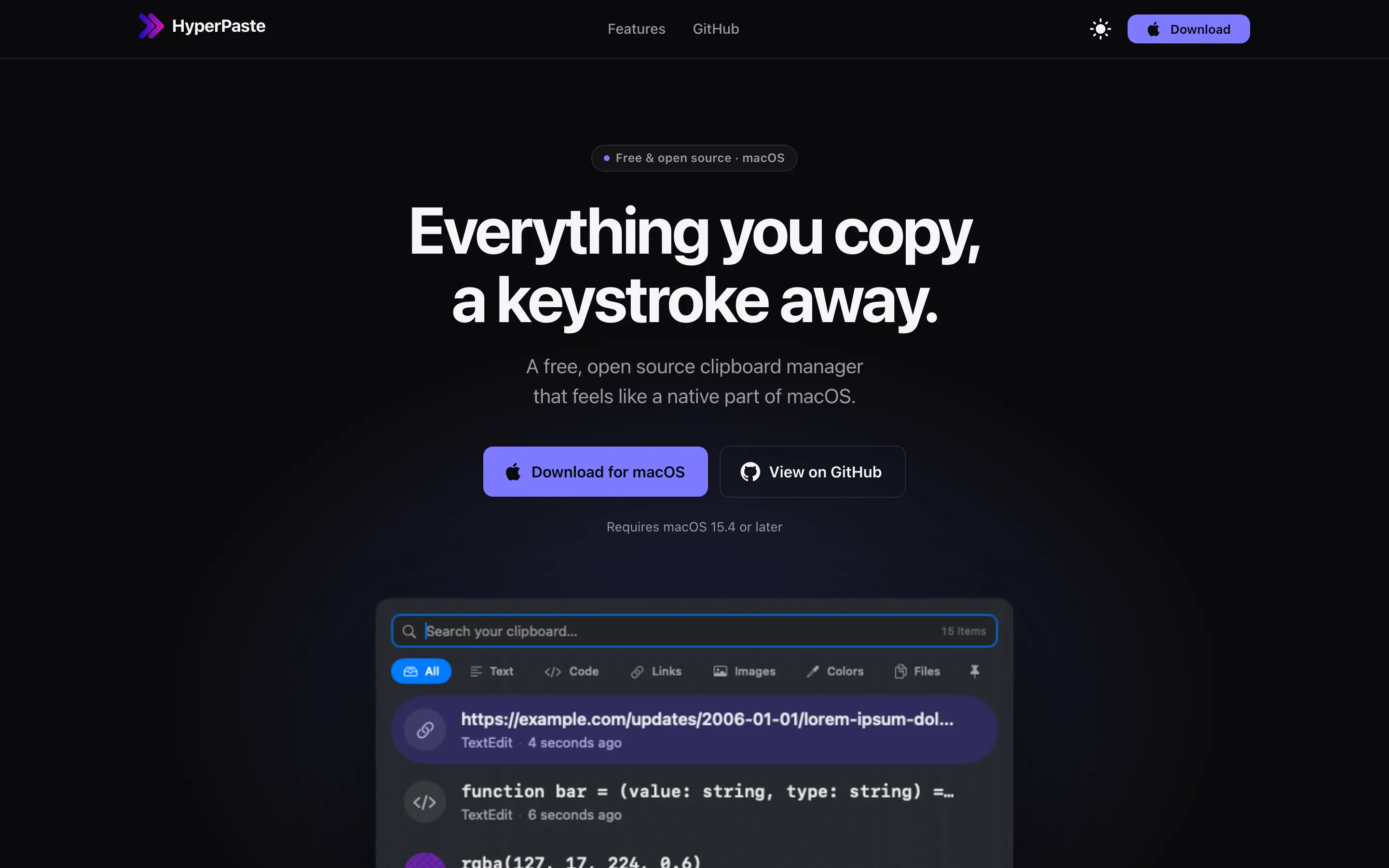
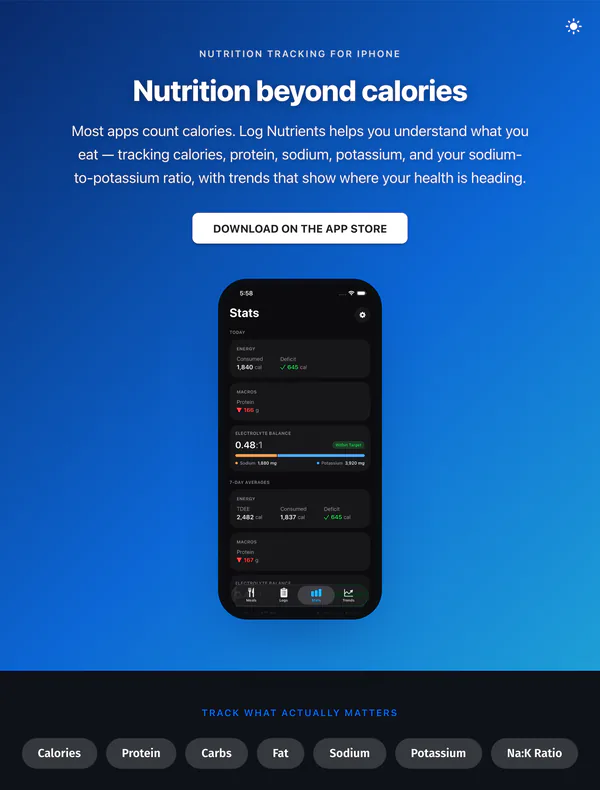
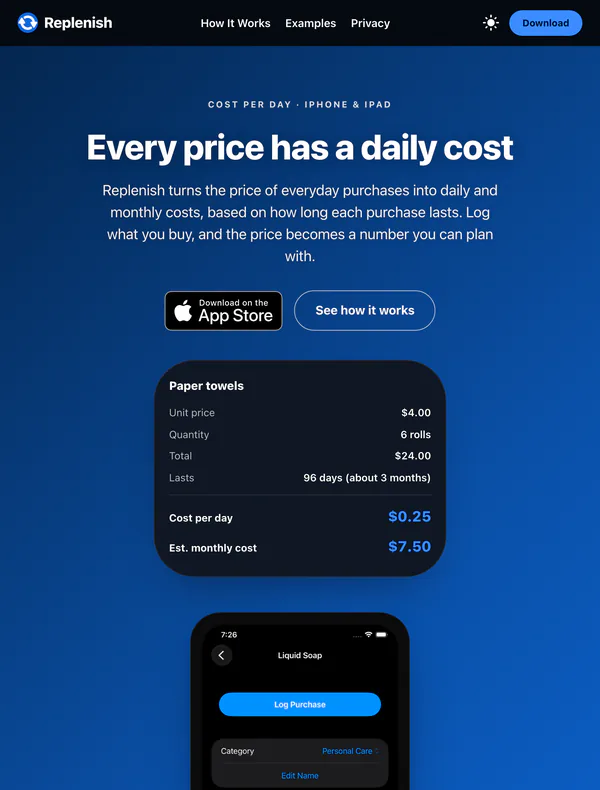
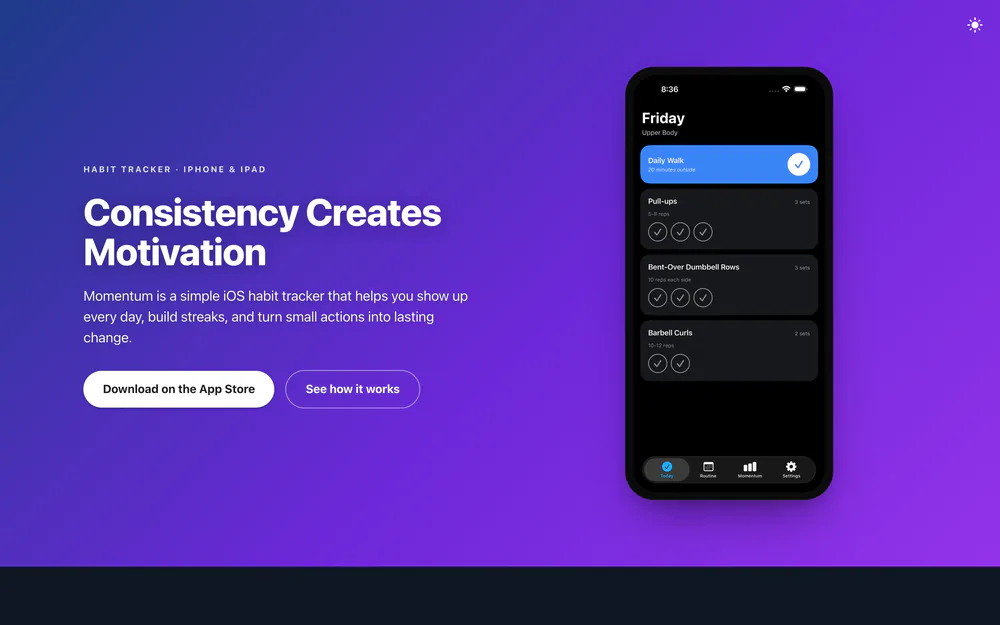
Every one of these has to explain something new to a stranger.
Each of our apps has its own website, and each one has the same job: tell someone who’s never heard of the product what it does, why it’s worth their time, and how to get it, quickly enough that they stay.
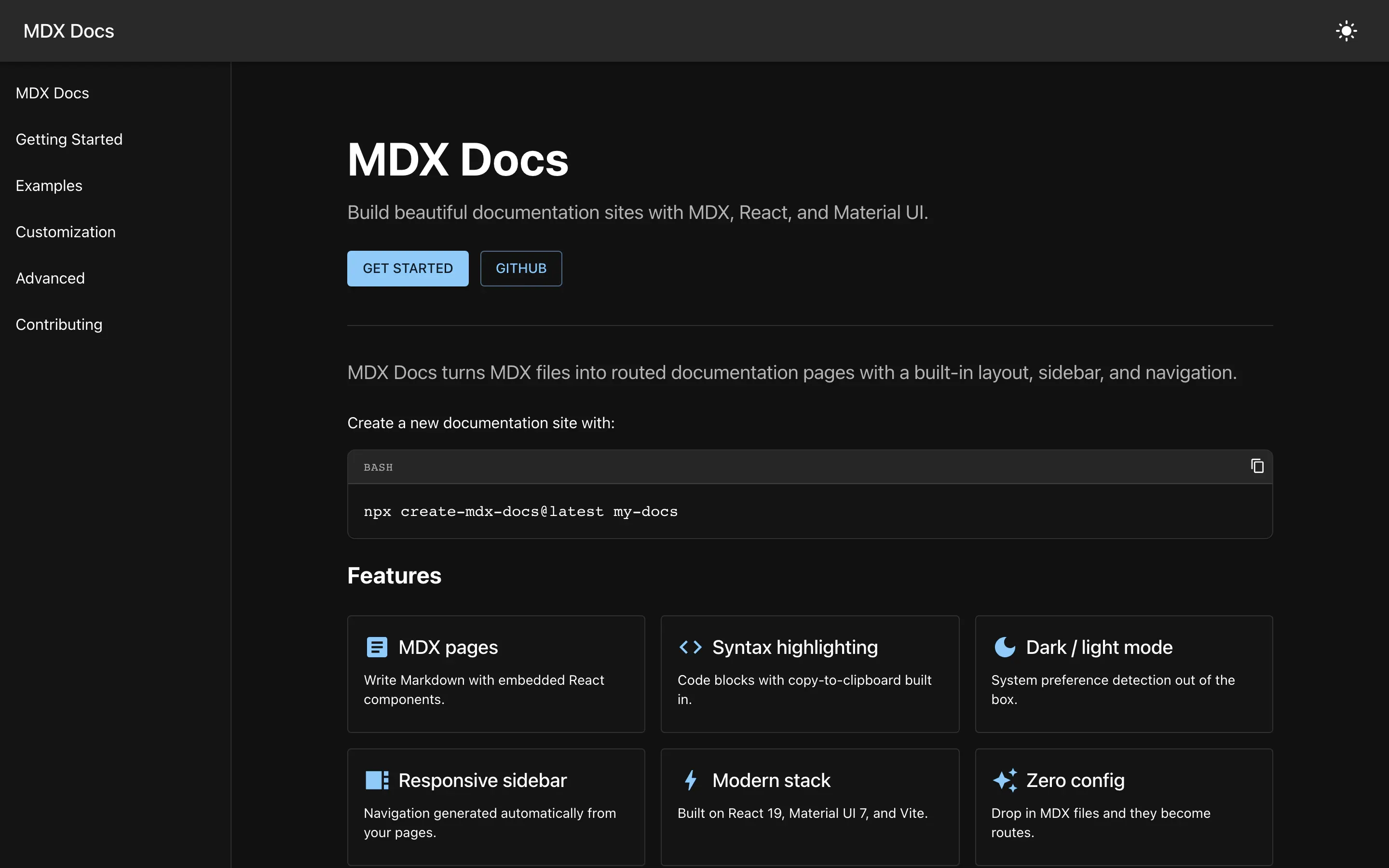
Content-heavy sites, too.
Documentation, guides, and articles need structure that holds up as they grow. MDX Docs is the open-source generator we built for documentation sites and style guides: routing, layouts, and sidebars, from plain files.
Read the MDX Docs case studyGood fit
Where we fit best.
Plenty of websites can come from a template, and some should. Here’s when it makes sense to hire us.
- You’re launching a product, and the website is where people will decide whether to try it.
- Your site matters to sales or reputation, and right now it’s slow, hard to update, or awkward on a phone.
- You have a lot of content, like docs, guides, or articles, and it needs structure that holds up as it grows.
- You care how the site feels to use, not just how it looks in a mockup.
- You want one team responsible for design, build, hosting, and launch, and nobody else to coordinate.
- You’d rather hand the website to someone you trust and get back to running your business.
How we work
What working together looks like.
Listen
What the site is for, who it’s for, and what isn’t working today. If a new website won’t fix the problem, we’ll tell you.
Structure
The pages, the navigation, and what each page has to say, agreed before visual design starts. Real words early beat lorem ipsum later.
Design and build
You review the real site on your own phone and laptop as it comes together, not pictures of it.
Test
Real devices, the browsers your visitors actually use, the keyboard, a screen reader, and a slow connection.
Launch
Domains, hosting, redirects from your old URLs, forms, analytics, and search basics, all checked before the switch.
Look after
Updates and fixes after launch, or a clean handoff with documentation if you’d rather own it.
From the blog
How we think about websites
Browser Support Is a Product Decision
Browser support is not a default engineering checklist. It is a product decision shaped by your audience, requirements, and the cost of compatibility.
Looking at Our Website Through Our Users' Eyes
Brave blocked over a hundred tracking requests on a site where we had installed exactly two analytics tools. Figuring out why changed how we choose analytics.
Favicon in Dark Mode
How to support dark mode with your favicon.
Before you ask
Questions
Can you redesign our site without rebuilding it?
Often, yes. A new design doesn’t always need a new platform, and keeping what already works is usually faster and safer. We wrote about the case against starting over, and if someone else built your current site, taking over existing software is where we’d start.
Will we be able to update it ourselves?
If you need to, yes. We set up editing around who’s doing it and how often. A team publishing every week needs something very different from a site that changes twice a year, and we won’t saddle you with a content system you don’t need.
Which browsers will it work in?
The ones your visitors actually use, tested properly, with older browsers still getting a working site even if some effects drop away. It’s worth deciding early, because it shapes the build. We wrote about why browser support is a product decision.
Do you handle hosting, domains, and the launch?
Yes. Hosting, DNS, redirects from your old URLs, forms, and analytics are part of the job, and they all get checked before launch day.
What about analytics and privacy?
We start with the questions you want answered and pick the lightest setup that answers them. This site uses Google Analytics with advertising features, Google signals, and User-ID turned off. Here’s why we took a second analytics tool off one of our own sites.
Contact
Let’s talk about your website.
Tell us what it’s for, who it’s for, and what isn’t working today. We’ll get back to you as soon as possible.