ServicesiPhone and Mac apps

iPhone and Mac apps that feel like they came with the device.

We design and build native apps in Swift and SwiftUI, ship them through the App Store, and look after them as iOS and macOS change. They use the platform’s own controls, gestures, and services, so they feel familiar from the first tap.

Why native

When an app has to feel at home on the device.

Not every product needs a native app. When one does, it’s usually for one of these reasons.

  1. It behaves like the rest of the device.

    The controls, gestures, keyboard shortcuts, and dark mode people already know, so there’s nothing to learn before the app is useful.

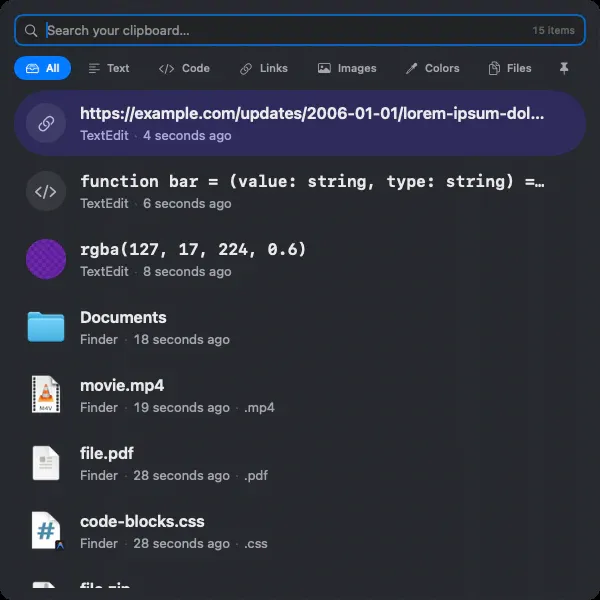
    HyperPasteKeyboard-first from top to bottom: open it, search, and paste without reaching for the mouse.

  2. It plugs into the system.

    Apple Health, Reminders, Calendar, iCloud, notifications, and in-app purchases are all within reach of a native app, with the person’s permission.

    TangoTwo-way sync with Apple Reminders, and health habits that read from Apple Health.

  3. The data can stay with the person.

    Everything can live on the device and sync through their own iCloud account. No sign-up, and no server of yours holding their information.

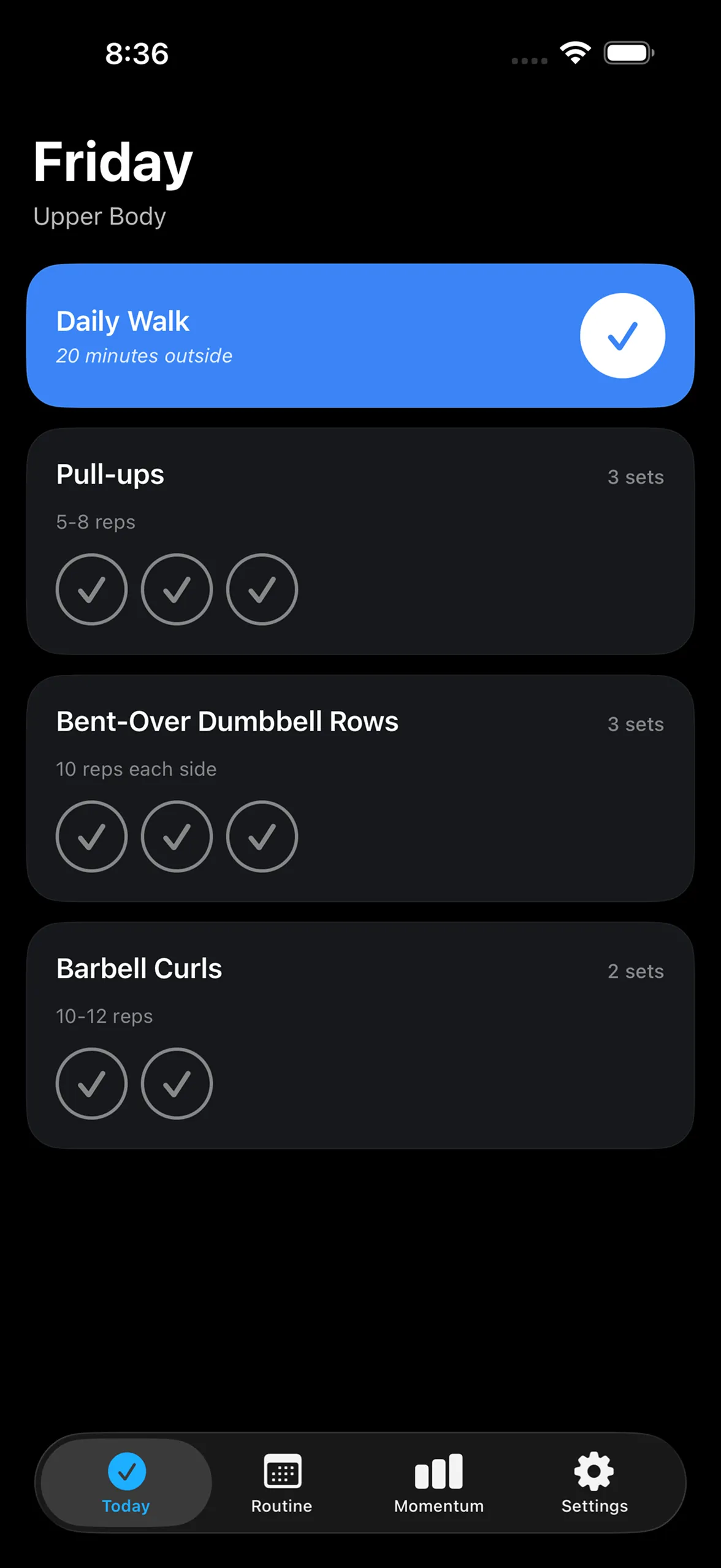
    MomentumRoutines and history sync through the user’s private CloudKit database.

  4. It works without a signal.

    When the data lives on the device, the app keeps working on a plane, in a basement, or anywhere else the network doesn’t reach.

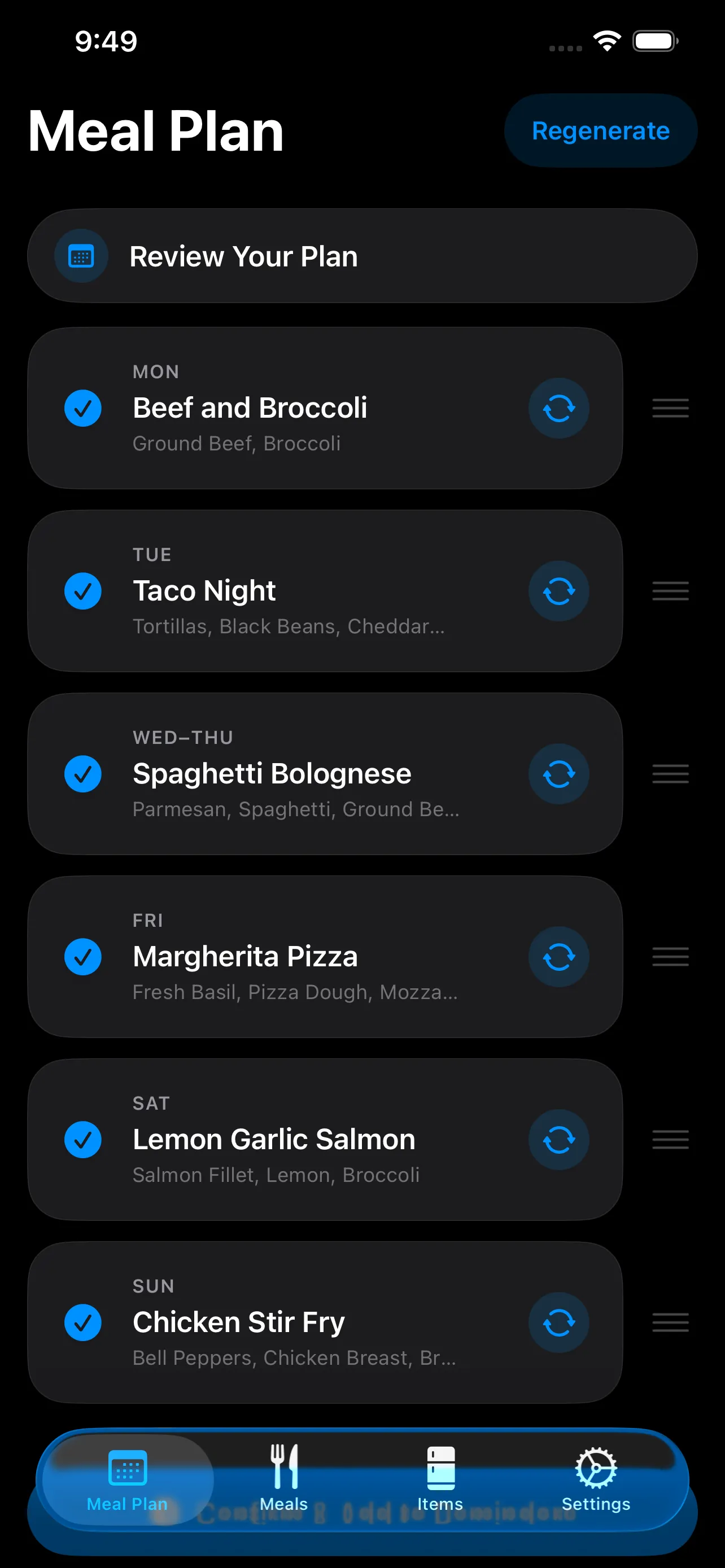
    Rotate MealsMeals, plans, and ingredients are stored on the device, with no account to sign in to.

  5. It’s there the instant you need it.

    A Mac utility can run in the background and appear with a keystroke, without a browser tab to find first.

    HyperPasteBuilt and tuned to stay running all day in the background.

Our apps

Seven native apps, designed, built, and shipped by us.

Every app here is our own product. We designed them, wrote them, shipped them, and we keep them current as iOS and macOS change.

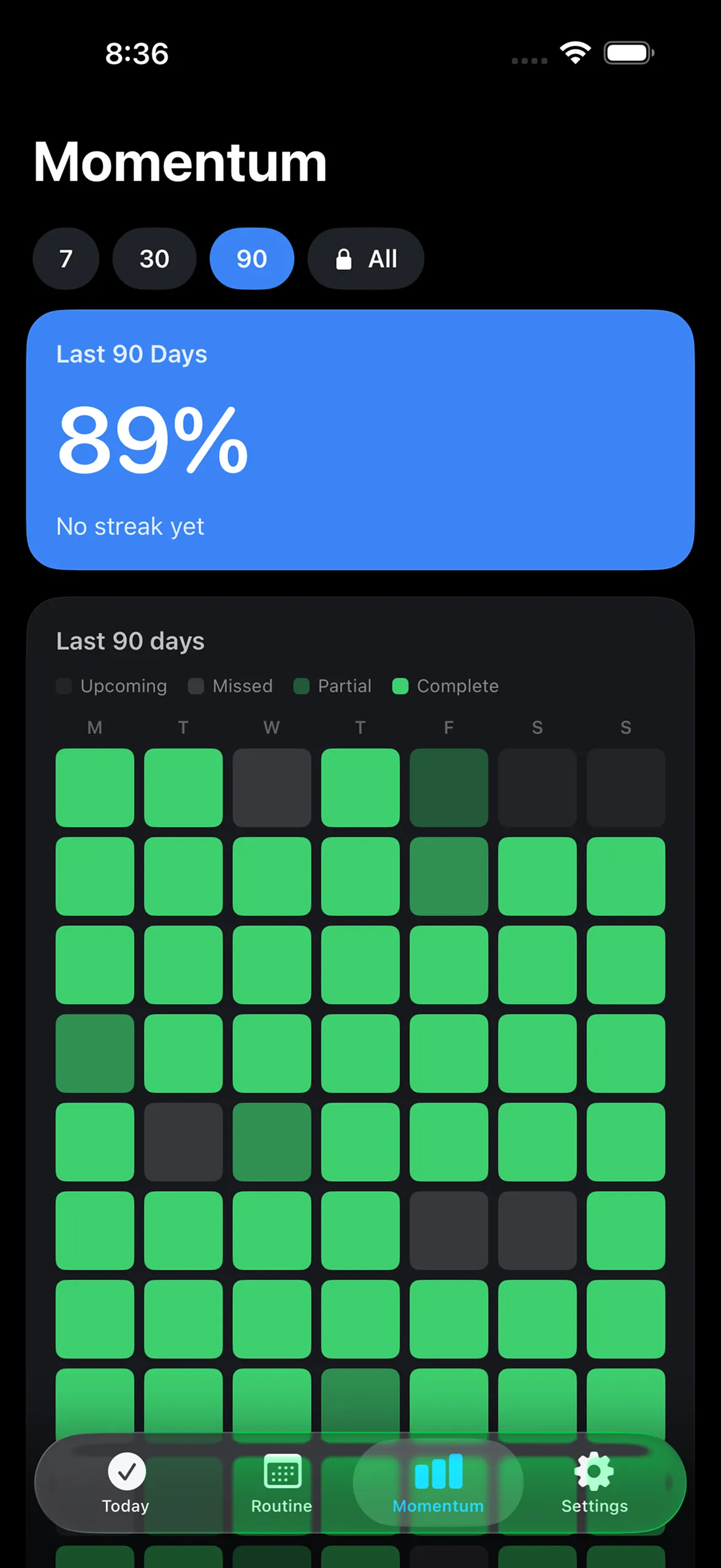
  • Momentum’s stats screen: 89 percent consistency over the last 90 days, above a heatmap of completed days.

    iPhone

    Momentum

    A calm workout tracker built on consistency over perfection.

    • SwiftData
    • CloudKit
    • StoreKit
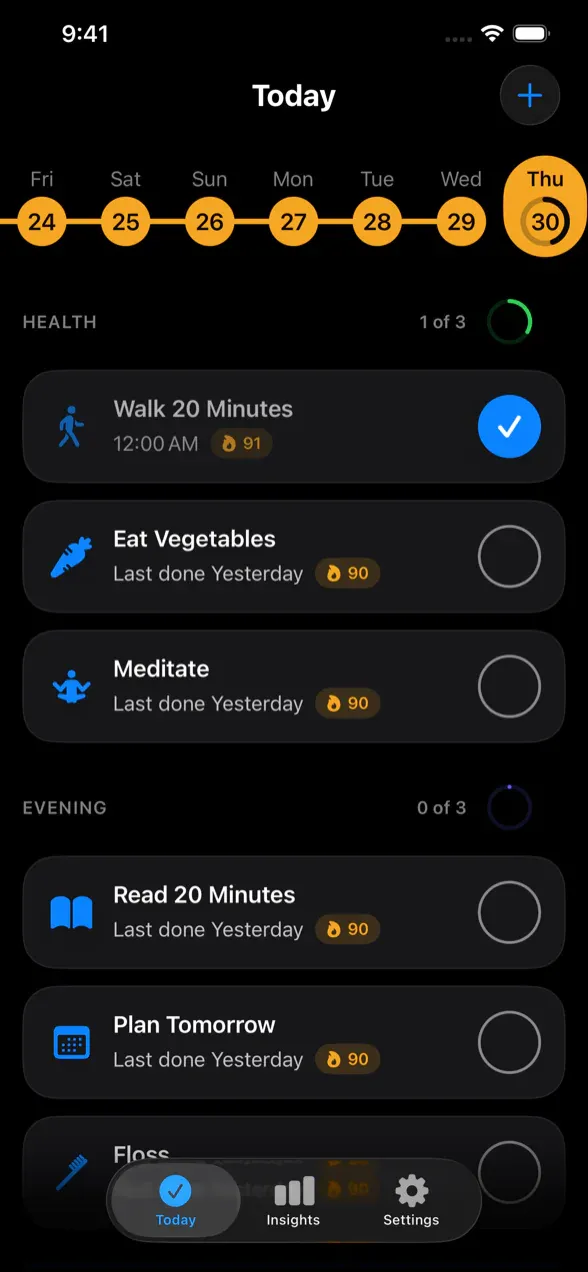
  • Tango’s Today screen: health and evening routines, each habit with its streak.

    iPhone

    Tango

    Daily habits grouped into routines, synced through iCloud.

    • SwiftData
    • CloudKit
    • HealthKit
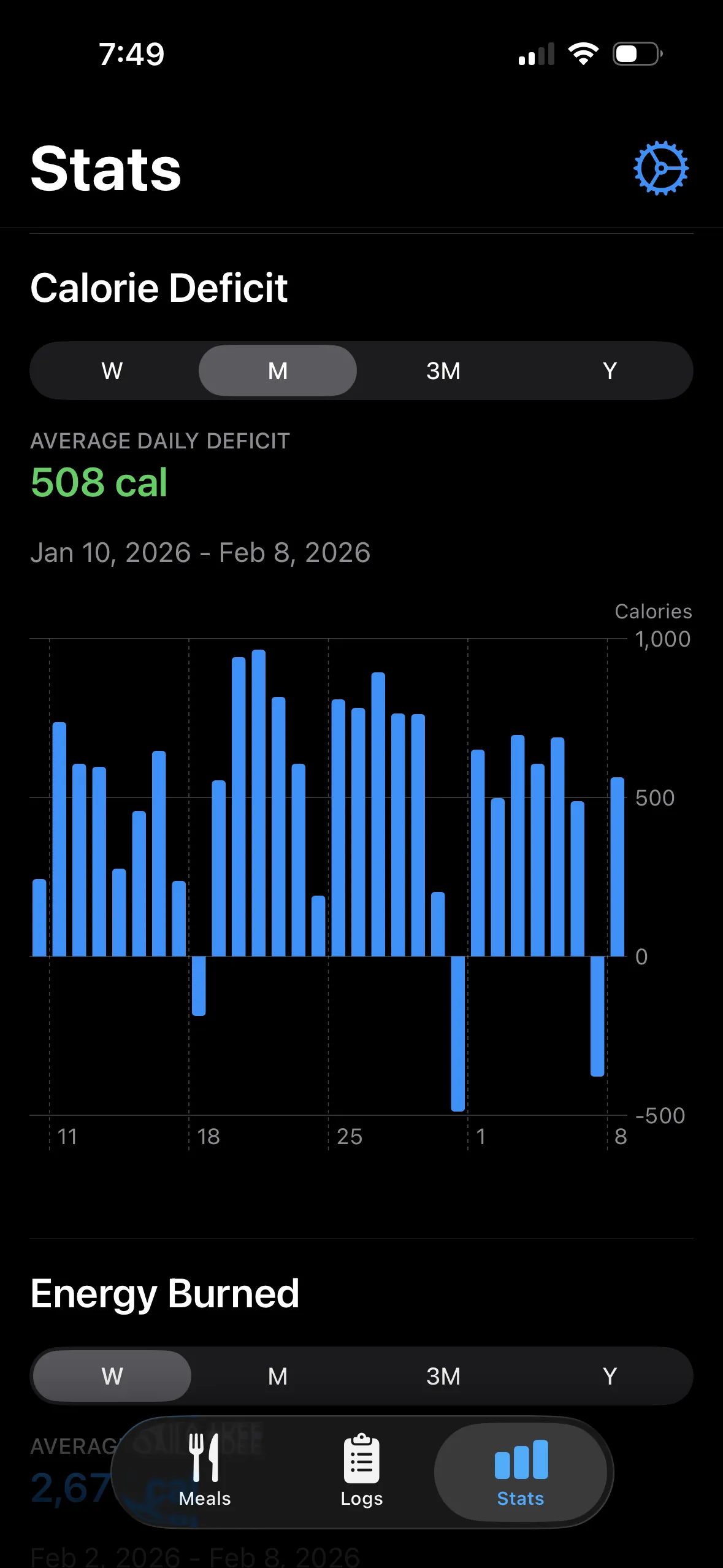
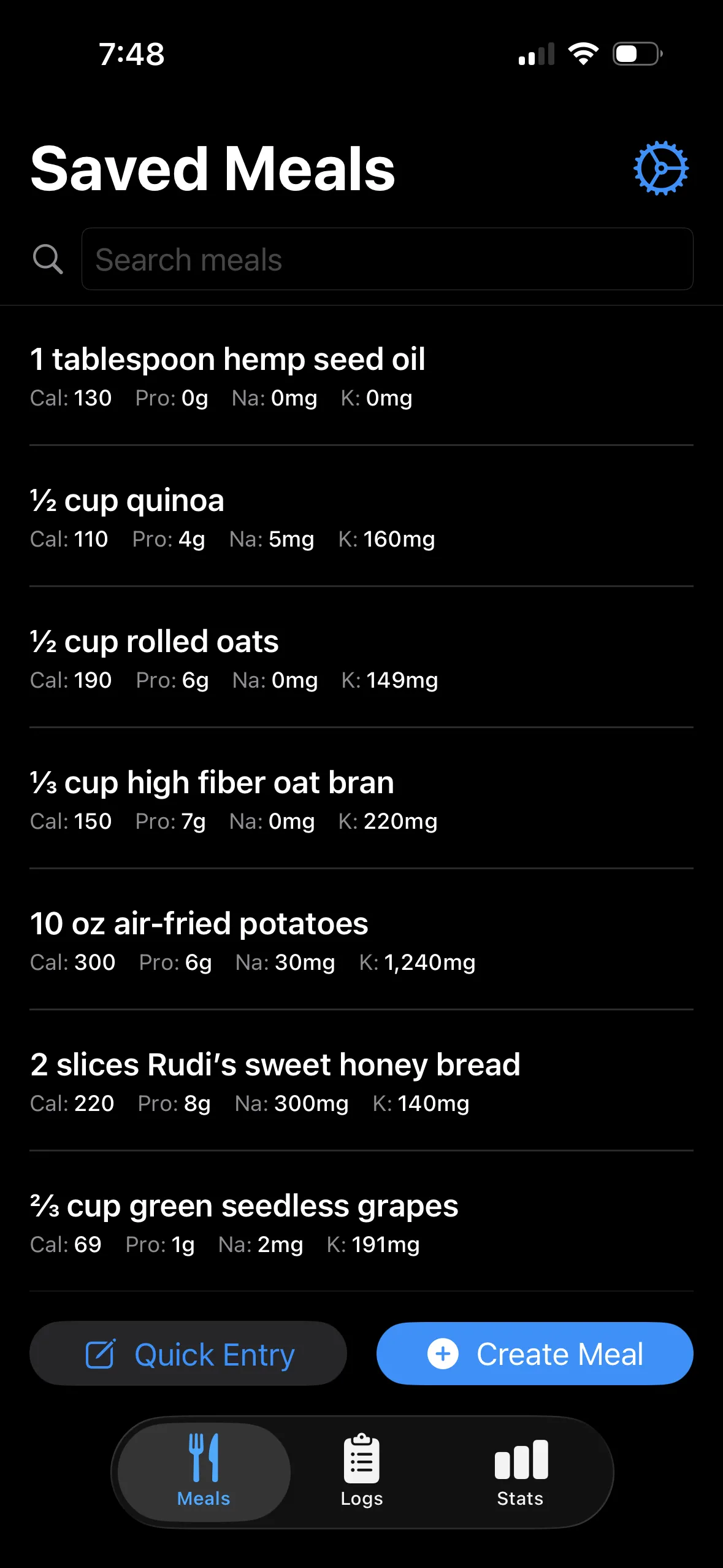
  • Log Nutrients’ saved meals, each with its calories, protein, sodium, and potassium.

    iPhone

    Log Nutrients

    Logs nutrients to Apple Health and tracks your calorie deficit.

    • SwiftUI
    • HealthKit
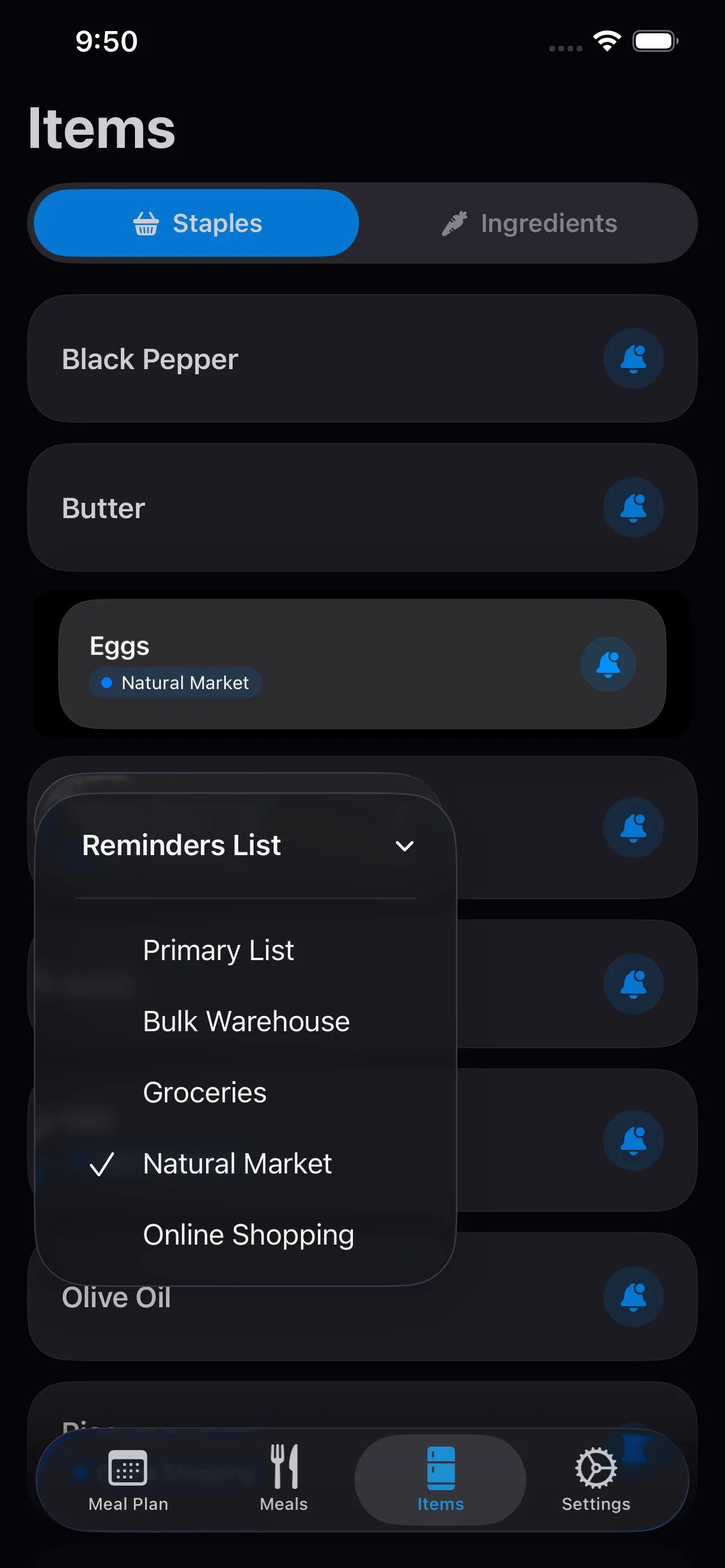
  • Rotate Meals’ shopping list of staples, with a menu for choosing which Reminders list each item goes to.

    iPhone and iPad

    Rotate Meals

    Weekly meal plans without repetition, and the grocery list to match.

    • SwiftUI
    • EventKit

Also on the App Store: Replenish, for the real cost of everyday things, and Calendar Heatmap, for seeing a year of your calendar at a glance.

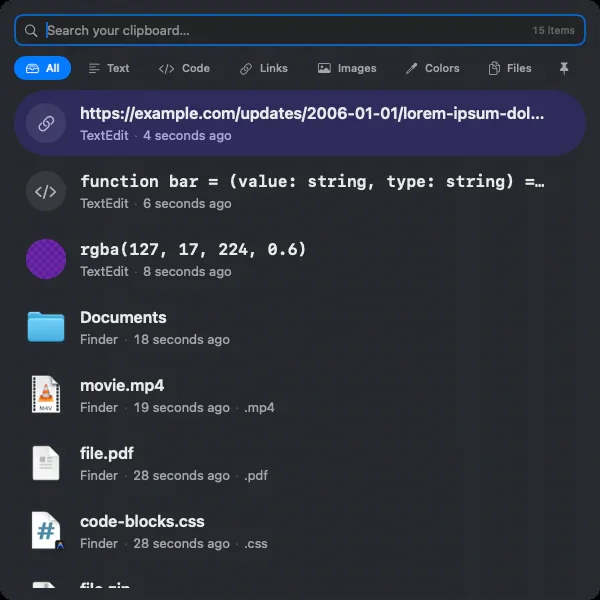
HyperPaste’s window: a search field, filters by type, and recent clips including a link, code, a color, and files.

Native Mac app

HyperPaste

A privacy-first clipboard manager for macOS.

  1. Instant search across everything you’ve copied.
  2. Filters for text, code, links, images, colors, files, and pinned items.
  3. Every item within reach of the keyboard.
  4. Previews that show what something is: a color’s swatch, a file’s icon.
  • Swift, SwiftUI, and AppKit
  • Respects apps that mark copied content as private
  • Free and open source

System integrations

The parts of the platform we’ve already built with.

Native apps get a lot of their power from the system around them. Each of these is working in one of our own apps.

  • CloudKit and SwiftData

    iCloud sync

    Data stays on the device and syncs across a person’s devices through their private iCloud database.

  • HealthKit

    Apple Health

    Writing nutrition into Health, reading the energy an Apple Watch has measured, and checking off health habits.

  • EventKit

    Reminders

    Two-way completion sync with existing reminders, and shopping lists sent straight to the Reminders app.

  • EventKit

    Calendar

    A year of calendar events turned into a heatmap of where the time actually went.

  • StoreKit

    In-app purchase

    A one-time unlock for the full history, with no subscription attached.

  • UserNotifications

    Notifications

    Local reminders and app badges, scheduled on the device without a push server.

  • AppKit pasteboard

    The clipboard

    Text, images, files, colors, and rich text from any app, each handled differently and shown consistently.

  • SwiftUI

    iPhone and iPad

    One app, built to run on both iPhone and iPad.

How we work

From the first sketch to the App Store, and after.

  1. Design for the platform

    Built from Apple’s own patterns so the app feels familiar on day one, with custom design where it actually earns its place.

  2. Build it natively

    Swift and SwiftUI, with AppKit where the Mac needs it. Data stored on the device with SwiftData, and synced with CloudKit when the app calls for it.

  3. Ask permission well

    Health, Reminders, Calendar, and notifications requested when they’re needed, with a clear reason, never as a wall of prompts on first launch.

  4. Ship it

    The App Store listing, screenshots, privacy disclosures, and review, plus the website and privacy policy the listing links to.

  5. Keep it current

    New versions of iOS and macOS, new devices, and new APIs arrive every year. We stay on, or hand off with documentation.

Good fit

When native is the right call.

And when it isn’t: if people mostly need to learn about you, or the product has to reach every kind of device on day one, a website or a web app may serve you better. We’ll tell you which.

  • Your app needs Apple Health, Reminders, Calendar, iCloud, or another part of the system.
  • People’s data is personal, and you’d rather it stayed on their devices.
  • It’s something people will use every day, where speed and feel decide whether they keep it.
  • You want a Mac utility that’s there the moment someone needs it.
  • You want someone who’s taken apps through App Store review before.

Before you ask

Questions

Do you build for iPad?

Yes. Rotate Meals runs on iPhone and iPad. SwiftUI makes sharing code between them practical, though a good iPad app still deserves its own layout decisions.

Will people need to create an account?

Not necessarily. Momentum and Tango sync between a person’s devices through their own iCloud account, so there’s nothing to sign up for and no user database for you to protect.

Do you handle App Store submission?

Yes: the listing, screenshots, privacy disclosures, and review. Momentum, Log Nutrients, Rotate Meals, Replenish, and Calendar Heatmap are all on the App Store.

What happens when Apple ships a new version of iOS?

Usually something needs attention: a deprecated API, a new design convention, a permission that works differently. We look after our own apps as each release lands, and we can look after yours too, or hand it off with documentation.

Should this be a native app or a web app?

If it needs the system, works offline, or is part of someone’s day, native is worth it. If it has to reach every kind of device or mostly lives in a browser, a web app may be the better first step. We’ll help you decide before anything gets built.

Can you take over an app someone else built?

Yes. See taking over existing software. We start by reading it.

Contact

Have an app in mind?

Tell us who it’s for and what it needs to do. If native isn’t the right call, we’ll say so.